
Activation
Log in as an Administrator (see instructions) to activate the feature.
Usage & Quotas: Usage of these features is subject to a monthly AI quota for your company to ensure fair usage. A standard monthly allocation is included in your subscription. Please note that future premium AI features or extended limits may require the purchase of additional AI Quota.
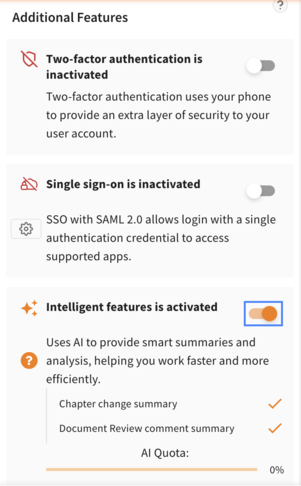
Vicosight Administrators have the ability to activate Vicosight Intelligent Features (AI) from company page.
- Navigate to your company page.
- Click the toggle next to the Intelligent features to activate.
- Check the "I have read and agree to these data processing terms" box and then click "Agree & Activate".
Data Processing Notice
We use our existing sub-processor, Amazon Web Services (AWS), to securely host this new AI capability. Your data is not used to train AI models. To ensure high performance for these specific AI services, AWS utilises an expanded network of data centers within the European Union. Your data will remain within the EU. The location of your standard Vicosight data storage and handling remains unchanged. Our Data Processing Addendum (DPA) has been updated to reflect this expanded regional processing for AI features.
(For additional questions about pricing please, contact your sales representative.)
Chapter Changes Summary
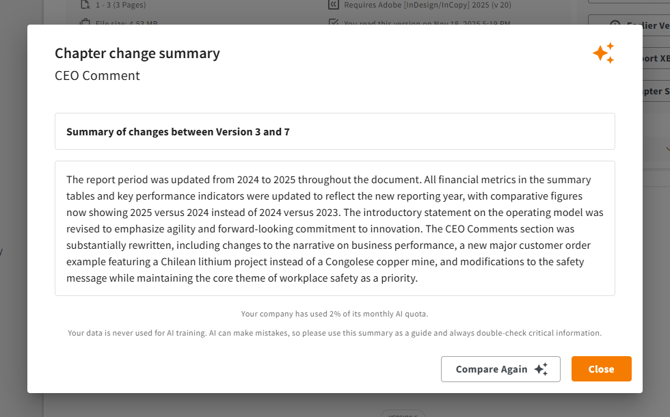
This feature allows users to select two versions of a chapter and instantly generate an AI-powered summary of material changes, turning a task that could take hours of manual reading into a process that takes seconds.
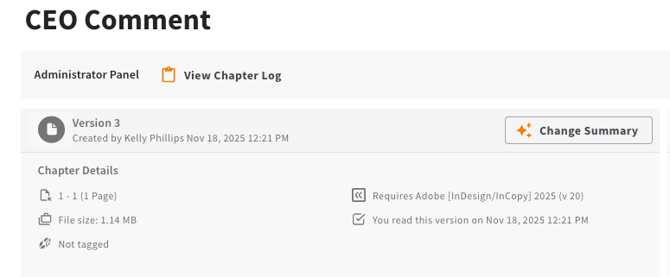
To use the function, navigate to page for the chapter you want to create a change summary for and click on the "Change Summary" button.
Now select the versions you want to compare. (You can for example compare just the two latest versions, or compare two versions where more time has passed.)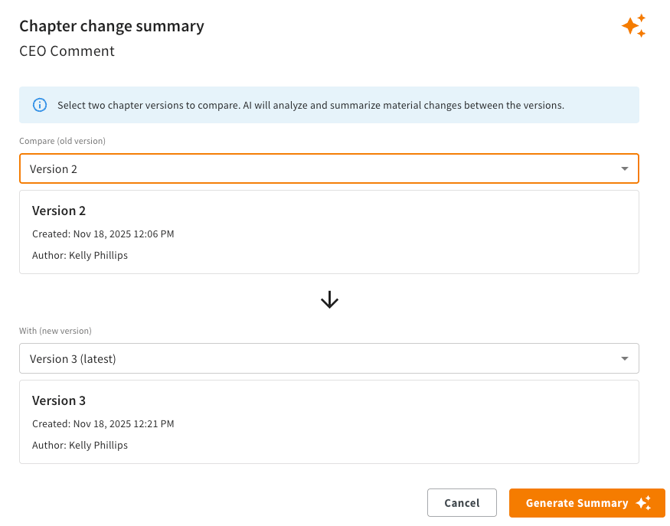
Then click the "Generate Summary". After a few moments a summary of the difference will appear
Document Review Comment Summary
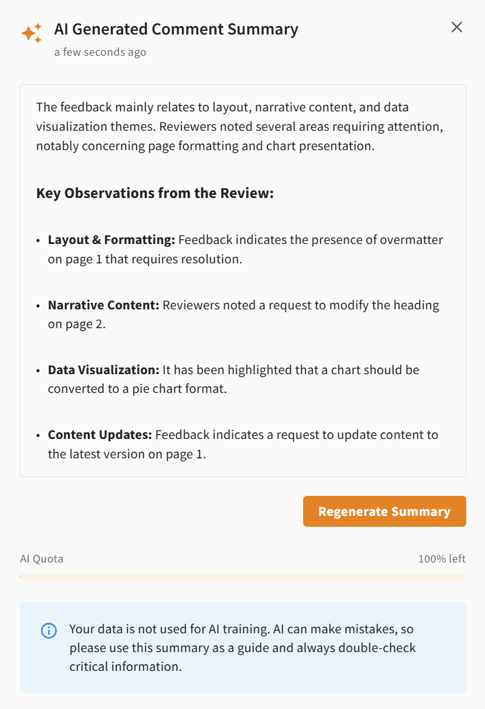
This feature creates an AI-generated summary of your Document Review comments. This addition helps you quickly digest feedback and understand the overall sentiment of a chapter's review process. The summary is based on active comments only, and includes both the main comment and its reply threads.
To use this function, please open your chapter in Document Review and click on the Intelligent Features icon on the bottom right hand corner.
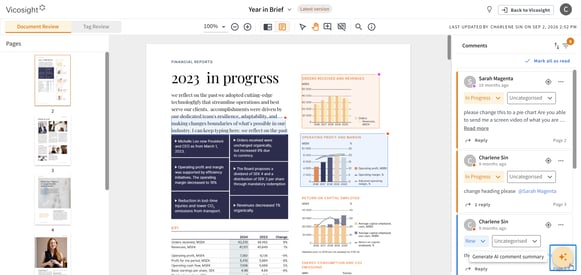
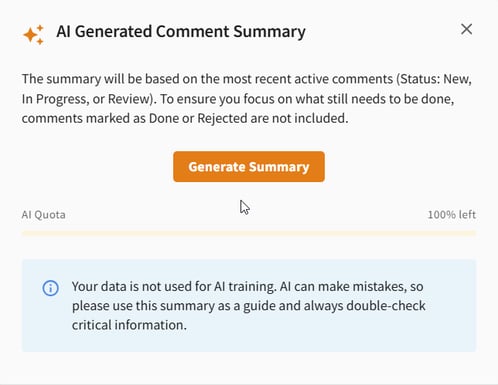
Click on "Generate Summary".
A chapter comment summary will be generated. You have the option to regenerate the summary again if you wish.
Ask the Report
Ask the Report gives clear answers to questions in English or Swedish, with chapter and page references. If it doesn’t have the answer, it says so rather than guessing.
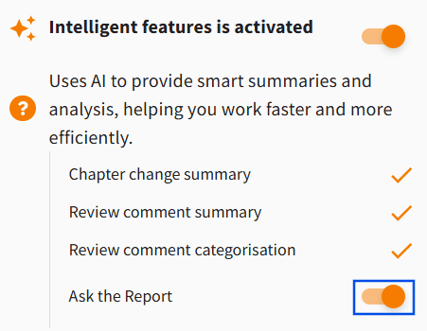
- Please contact support@vicosight.com to turn on advanced AI features for the company under "Additional features" once Intelligent features has been activated.
- A company administrator then turns on “Ask the Report” and accepts the terms of use.
Until both steps are done, the feature isn’t available to users.
Ask the Report opens as a panel inside the project, with starter questions to guide users.
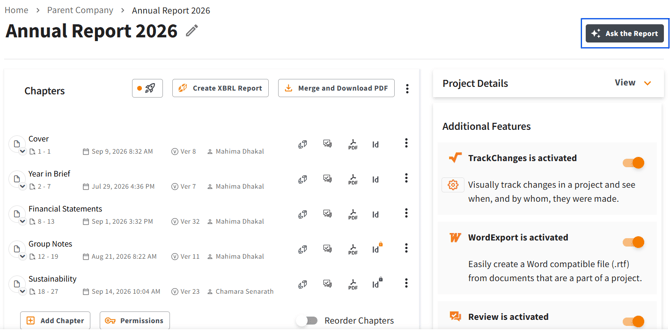
Please note that it doesn't produce summaries so users need to ask specific topics for example "What does the report say about the 2026 outlook?" Answers come from the active project only. Users only get answers from chapters they can access.