This functionality enables you to create an untagged XHTML report from your document in Vicosight. Please be aware that there is a cost attached to activating this additional functionality if it is not already part of your agreement with Vicosight. Please contact your sales representative, or sales@vicosight.com, if you have any questions about your specific licence agreement.
- You must be logged in as an Administrator to do this. Start by activating XBRL Reporting. Please read our support article about how to activate XBRL Reporting here.
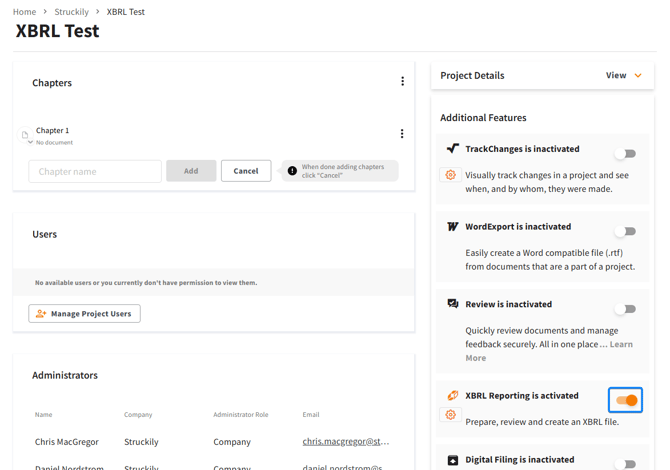
- After activating XBRL reporting, click the "settings" icon in as shown in the image below.
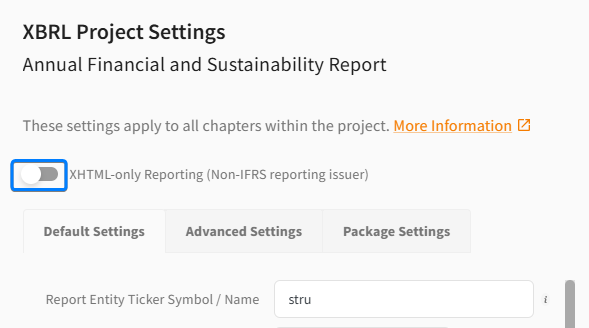
Click the toggle next to XHTML-only Reporting (Non-IFRS reporting issuer) and click "OK".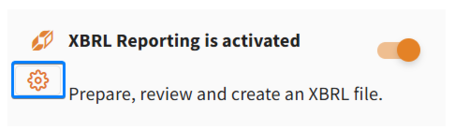
- After this is done, a new chapter version of each chapter must be created to generate the required files that will be converted.
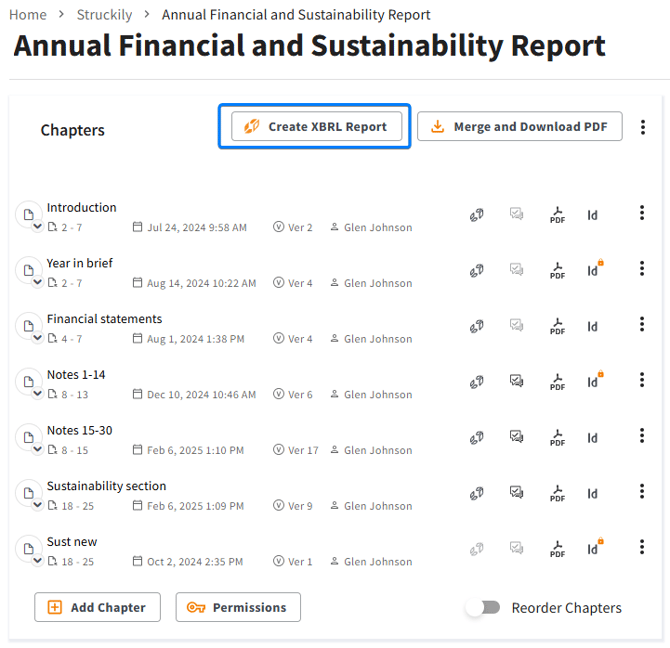
- Then, click on the "Create XBRL Report"button on the project page. Select the relevant chapters in the pop up that appears and click "Create".
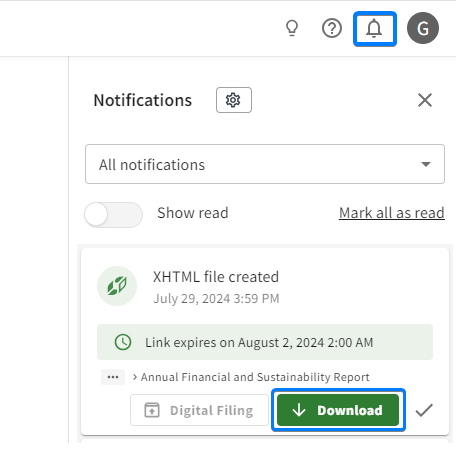
- Once the file is ready for download you will receive an email. You can then log in to Vicosight, click on the bell icon in the top right hand corner of Vicosight and then "Download".