The URL address to Vicosight is secure.ctrlprint.net. Add this as a bookmark in your web browser so you can find it easily in the future.
To log in to Vicosight you will need a username and password. If you haven’t received these, or don’t know where they are, please contact your Administrator. This is usually someone at your design agency.
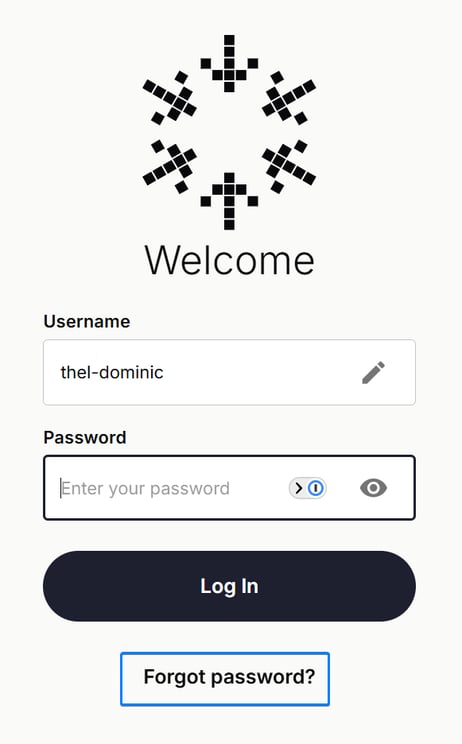
Enter your username and click "Continue". Enter your password and click "Login".
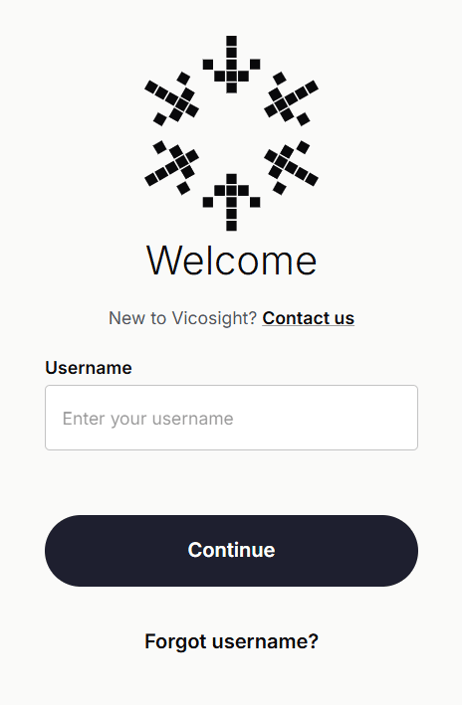
The first time you log in to Vicosight you will need to request a password from the system. Go to secure.ctrlprint.net and enter your username and click "Continue". On the next screen, click on "Forgot password?". You will then have to enter your username and the email address associated with your account to be sent a new password.
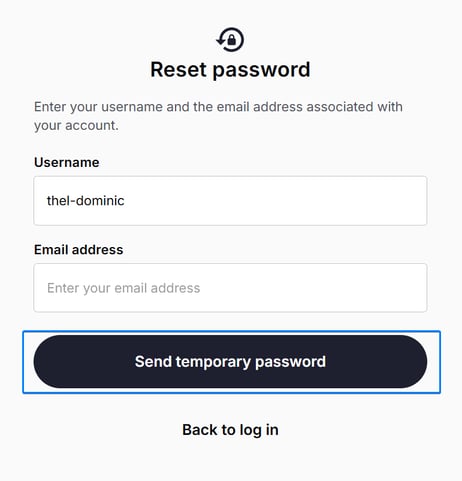
For security reasons you will be required to change this password after you log in. We do not recommend using a password you already use for other online services. You will only be able to create passwords that meet the rules for passwords. (Please see the example picture below.)
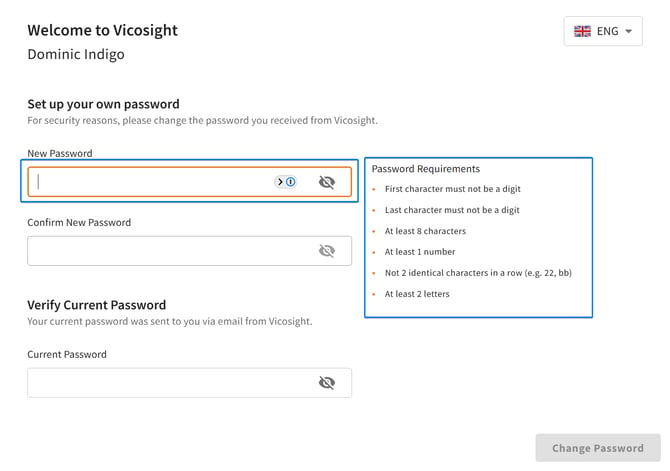
If you want to change your password, follow the below steps.
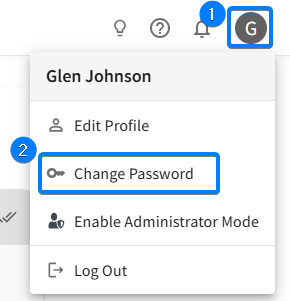
1. Log in to Vicosight and click on the user icon in the top right.
2. Click "Change password".
3. Follow the instructions in the above Create a new password box.