
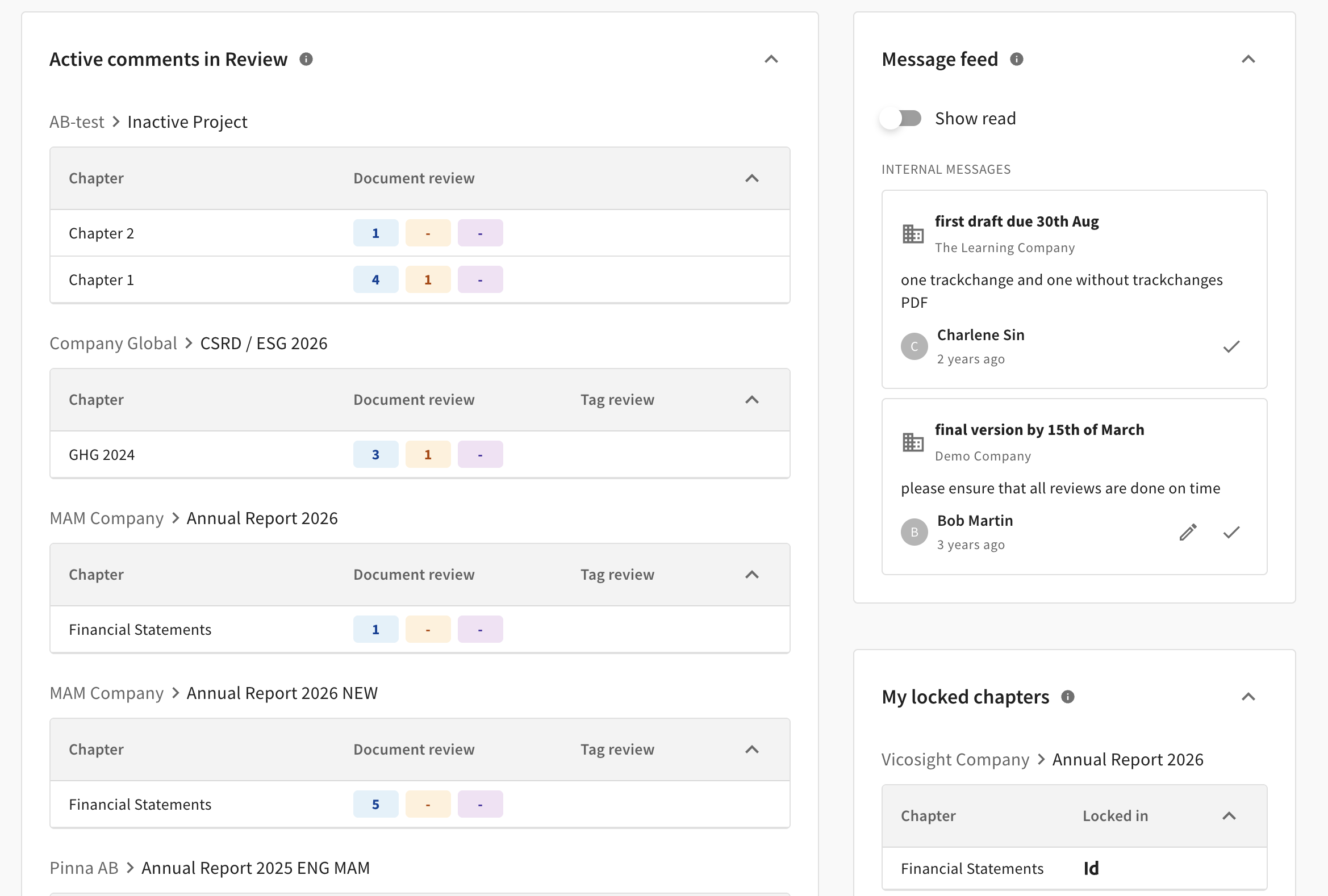
Vicosight landing page consists of the following three sections:
Active comments in Review
If you have Review feature activated, only chapters with active Review comments are listed. Once all comments are marked as Done or Rejected, the chapter is no longer shown in the overview. Clicking a chapter name opens the chapter page, where comments can be viewed and actioned.
The numbers show the total count of comments, colour-coded by their current status. Blue is for comments status "New", Yellow for "In progress" and Purple for "Review". 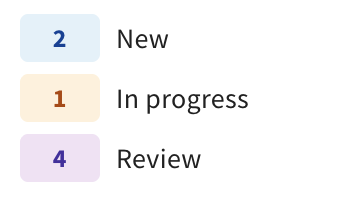
Message Feed
This feed displays messages relevant to you.
Depending on your access and current updates, you may see the following:
-
System messages: Global announcements from Vicosight pinned to the top by priority.
-
Company messages: Updates from your company admins, visible to users within your specific company.
-
Project messages: Targeted updates from project admins, visible to users assigned to that project.
My locked chapters
You can see a list of all chapters currently locked by you. Hover over an icon to see when it was locked, and remember to save your chapters back to the server when finished to avoid blocking other users.